Storefront™ helps cafés, coffee shops and restaurants manage tables, orders, kitchen workflows, payments, service charge, menus and reporting from one connected platform.
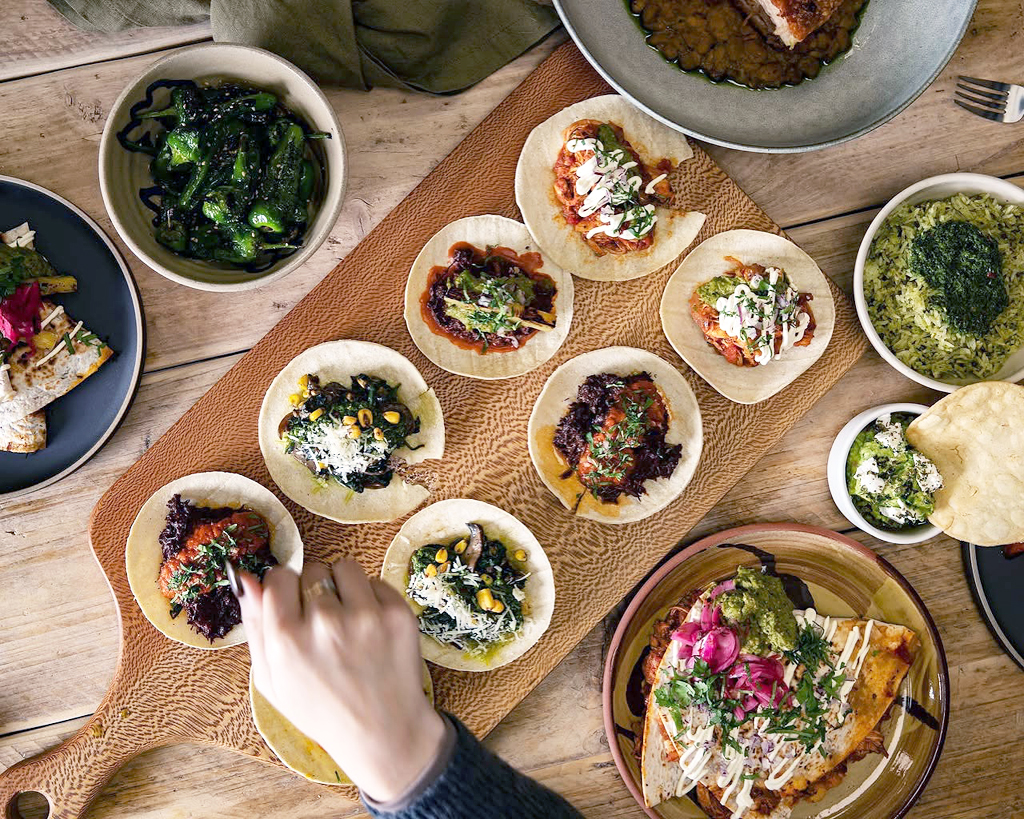
Mixed retail & hospitality as part of a busy service
Hospitality Runs on Timing
ORDERS, STAFF, KITCHENS AND CUSTOMERS ALL MOVING AT ONCE
Good hospitality feels effortless to the customer, but a lot happens behind the scenes. Tables need to be turned, orders need to reach the kitchen, payments need to be processed quickly, and staff need a system to manage the routine of each day.
Hospitality teams are under pressure to protect margins, control costs and keep service moving, while customers still expect a relaxed and personal experience.
Storefront™ is designed to support the practical details of service: counter sales, table orders, kitchen printing, menu changes, payments, service charge, split bills and reporting across trading areas.
Objective: The goal is not to replace hospitality with technology. It is to give staff more confidence at the points where service can otherwise begin to slow down.
Where Storefront Helps Day to Day
PRACTICAL TOOLS FOR CAFÉS, COFFEE SHOPS AND RESTAURANTS
Manage tables, tabs and covers
Open tables, manage tabs, split bills and keep service clear from seating through to payment.
Orders that reach the right place
Send food and drink orders to the right printers or preparation areas so the team can stay focused during service.
Payments in the right way
Support integrated payments, Pay-at-Table, service charge and quick checkout for counter or table service.
The Details Inside Every Order
MODIFIERS, ALLERGENS, COURSES AND ORDER ROUTING
Hospitality orders are rarely as simple as one product and one price. A coffee might need a milk choice, an extra shot and a takeaway cup. A main course might include cooking instructions, sides, sauces, allergy notes and a course position.
This section is the hospitality equivalent of size, colour and style in department store retail: the order details matter, and the EPOS needs to keep them organised.
Table 12 · Order 48
Ticket
2 × Flat White
Oat milk · Extra shot · One takeaway
BAR
1 × Steak Sandwich
No mustard · Fries · Allergy note: sesame
PASS
1 × Soup of the Day
Starter · Gluten-free bread
KITCHEN
Service note
Begin mains after starters have cleared
TEAM
Menu modifiers
Capture choices such as milk, sides, sauces, cooking preferences and extras at the point of order.
Allergen prompts
Help staff keep allergen and special instruction details visible where they matter.
Course handling
Keep starters, mains, desserts and drinks clear for the kitchen and front-of-house team.
Preparation areas
Route food, drinks and counter items to the right printer or preparation point.
From Table to Kitchen to Payment
A CLEARER FLOW THROUGH SERVICE
When service is busy, small delays become obvious. Storefront™ helps keep the path from order-taking to preparation and payment easier for the team to follow.
That gives staff a clearer view of what is happening now, what needs preparing next and what still needs to be settled.
1
Seat
Open a table, tab or counter order and keep it visible.
2
Order
Capture items, modifiers, notes and course detail accurately.
3
Prepare
Send orders to kitchen, bar or counter preparation areas.
4
Pay
Split bills, apply service charge and take payment quickly.
DISH AVAILABILITY
Today’s Menu Counts
During service
Lasagne
24 prepared for lunch service
17
left
Sea Bass Special
Low
3
left
Sunday Roast
Sold out
0
left
Soup of the Day
OK
11
left
Lemon Tart
OK
8
left
Keep Specials Under Control
DISH COUNTS, LIMITED PORTIONS AND SOLD-OUT ITEMS
Some dishes are limited by what the kitchen has prepared for that service. If there are 24 portions of lasagne available, Storefront™ can help the team count them down as each one is sold.
Servers can check availability before taking the order, which helps avoid the awkward walk back to the table when a customer has chosen something the kitchen can no longer serve.
Set the count
Add the number prepared before service starts.
Sell through
Each sale reduces the remaining quantity.
Avoid disappointment
Staff can see when a dish is low or sold out.
Menu Detail Without the Mess
INGREDIENTS, RECIPES, ALLERGENS AND WASTE
Menus adapt. Ingredients change. Specials sell out. Waste affects margin. Storefront™ helps hospitality teams bring menu, ingredient and stock detail closer together so the back office has a better view of what service is really using.
For food businesses, allergen information is not just an admin task. It needs to be easy for staff to find, understand and communicate during service.
Recipes
Understand what goes into menu items and prepared products.
Ingredients
Keep a better link between product records, kitchen use and stock movement.
Allergens
Support clearer product information where allergen detail needs to be handled carefully.
Waste
Record wastage and gain a clearer view of what is being lost so you can manage your margins.
Service Charge, Tips and Split Bills
CLEAR OPTIONS AT THE POINT OF PAYMENT
Hospitality payment is not always straightforward. Customers may split by cover, split by product, remove service charge, add a tip or pay at the table.
Storefront™ can help make those moments easier for staff by keeping the payment flow clear and giving the business a more consistent way to handle service charge and payment choices.
Multiple payment options
Integrated card payments at the till.
Pay-at-Table for seated service.
Service charge applied where appropriate.
Ability to remove service charge when required.
Split bills by cover or by product.
Clear reporting for managers and back-office teams.
Payments and Integrations Without the Lock-In
CHOOSE THE TOOLS THAT WORK FOR YOUR BUSINESS
Businesses need systems that work together: payments, accounting, reporting, kitchen printing and customer accounts.
Storefront™ is designed to give businesses more choice, so the EPOS can fit around the way they serve customers rather than forcing the business into one fixed setup.
DOJO payments
Xero
MailChimp
Microsoft 365
Shopify
EIT payments
Solum labels
Loyalty
Gift cards
REAL STORIES
Hospitality and Food Retail
Hospitality works best when the customer experience is simple and the operational detail behind it is under control.
See how independent retailers are using Storefront™ to connect tills, scales, payments, stock, reporting and customer service across busy, real-world operations. From coffee shops and cafés to farm shops and garden centres, these stories show how our system supports the way modern retailers actually trade.
BUILT FOR RETAILERS WHO NEED DETAIL AND FLEXIBILITY
✓
Tables, tabs, covers and split bills
✓
Kitchen and drinks printer workflows
✓
Service charge, tips and Pay-at-Table
✓
Stock control, goods-in and reporting
✓
Dish counts for specials and limited portions
✓
Counter service, takeaway and quick-serve sales
✓
Menu modifiers, notes and course handling
✓
Recipes, ingredients, allergens and waste
✓
Promotions, gift cards and customer accounts
✓
Cloud-based access for managers and teams
Frequently Asked Questions
STRAIGHT ANSWERS BEFORE WE START A CONVERSATION
Can Storefront™ support table service?
Yes. Storefront™ supports hospitality workflows including tables, tabs, covers, split bills, kitchen printing and payments.
Can it help with service charge?
Yes. Storefront™ can support service charge workflows, including removal at payment and split bill scenarios where configured.
Can it support hospitality inside a retail business?
Yes. Storefront™ supports both retail and hospitality, making it suitable for cafés inside farm shops, food halls, garden centres and department stores.
Can we choose our payment provider?
EPOS Cubed believes retailers should have a choice. Storefront™ supports several payment integrations and continues to develop more options.
Run a café, coffee shop or restaurant?
We would be happy to talk through how Storefront™ could support your tables, counter service, kitchen, payments, menus and reporting.